
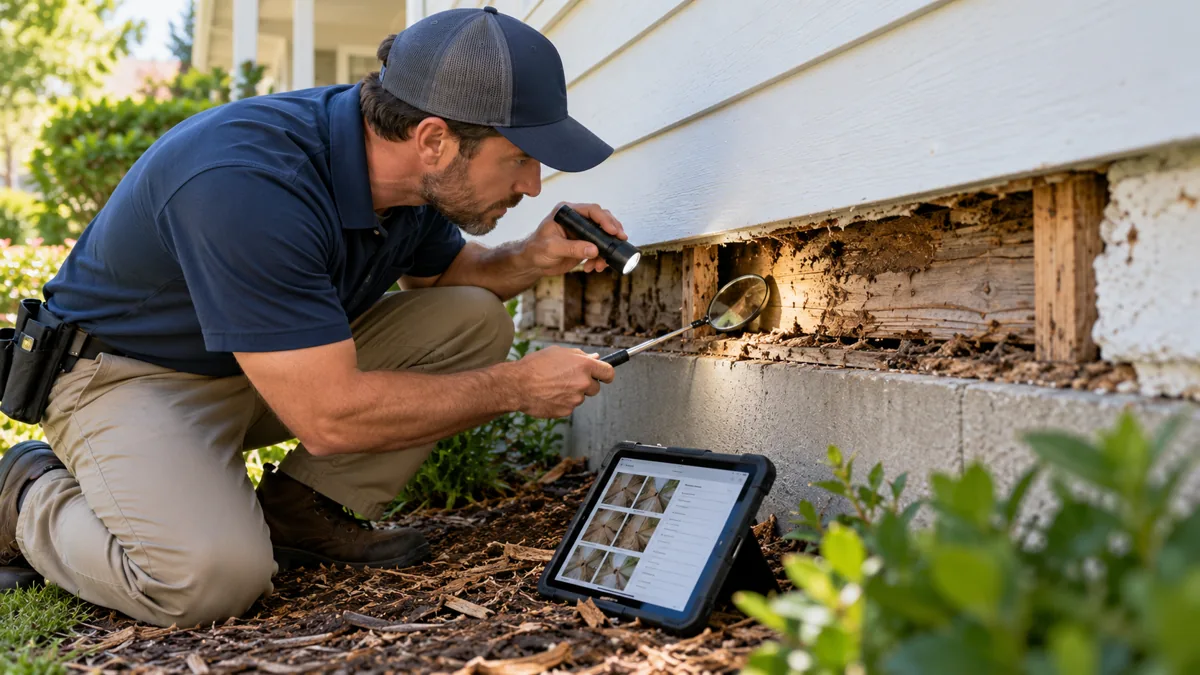
The NPMA 33 form, commonly written NPMA-33, is a Wood Destroying Insect Inspection Report. It documents an inspection’s findings and limitations for the structures identified in the report. It is not a general pest-control invoice, a home inspection, or a promise that concealed damage does not exist.
This educational guide explains the reporting workflow and directs inspectors to official instructions and legitimate form access. It does not reproduce the copyrighted form, provide a substitute form, or qualify a reader to perform an inspection. Verify current state requirements, transaction instructions, licensing, and the official form before use.
What is the NPMA 33 form used for?
NPMA’s official suggested guidelines describe its use for HUD/VA-guaranteed property transactions and its typical use in conventional transactions. They also explain that an exclusive state-mandated form takes precedence. Do not turn that guidance into a claim that every property sale in every state requires NPMA-33.
The report concerns visible evidence of wood-destroying insects and visible damage within the inspection’s scope. Its meaning depends on what was inspected, accessible conditions, findings, and the report’s limitations. The person ordering the inspection should identify the structures required for the assignment. A detached garage should not be silently assumed to be included.
Before accepting an assignment, confirm the required form and any lender or transaction instructions with the responsible parties. If a request conflicts with applicable inspection rules, resolve it before reporting. A real-estate deadline is not a reason to omit a material limitation or select a conclusion that the evidence does not support.
Obtain the official form and instructions
Use NPMA’s forms information and the legitimate NPMA Forms provider to obtain authorized access. NPMA explains that its forms are copyrighted and that reproduction or distribution requires permission. A scanned copy found online is not evidence of a redistribution license.
Our downloadable inspection checklist is an original general field worksheet. It is not NPMA-33 and should never be renamed or presented as the official report. Likewise, a software screen that resembles a form is not enough: ask the provider to confirm authorized form access, current revision support, and how completed reports are retained.
NPMA also offers an official online course on completing the report. Training can help users understand the document, but it does not replace required licensing, practical competence, or state procedures.
Understand the report’s sections
The official report organizes general information, inspection findings, recommendations, obstructions and inaccessible areas, and additional comments or attachments. Read the full current form and instructions rather than completing it from a summary. The points below are a workflow overview, not replacement instructions or a reproduction of the report’s wording.
General information
Confirm the inspecting business, property, inspection dates, inspector identification, and structures included. Use the actual inspection date rather than the date someone requested the report. If work occurs over more than one day, consult the official instructions for recording those dates. Check spelling and addresses against the assignment before finalizing.
Inspection findings
Record what the inspection actually established. Keep visible evidence, observed damage, and conclusions tied to identifiable locations and supporting notes. Do not describe an uninspected space as clear simply because no evidence was found elsewhere. When identification is uncertain, resolve the uncertainty through the appropriate professional process rather than guessing in a transaction report.
Recommendations
Recommendations must follow from the inspection and applicable guidance. Distinguish reporting an observation from recommending treatment or another action. Avoid automatically copying recommendations from the previous property. If additional specialist evaluation is appropriate, describe the issue accurately without presenting yourself as having performed an evaluation outside your competence.
Limitations, comments, and attachments
Document inaccessible areas and material obstructions precisely. “Limited access” alone gives a reader little practical information. Identify the location, what prevented inspection, and the relevant reporting consequence. Ensure diagrams, photographs, and additional comments are associated with the correct property and report version.
A disciplined completion workflow
- Confirm the assignment. Identify the transaction, property, structures, required form, and applicable procedures.
- Prepare the inspection record. Establish a job reference and a method for linking notes and photographs.
- Perform the authorized inspection. Follow required procedures and safe-access limits; do not infer results from a previous visit.
- Organize evidence. Label locations and separate observations from interpretations.
- Complete the licensed report. Work from the current official form and instructions.
- Review consistency. Check that findings, recommendations, limitations, and attachments agree.
- Finalize and deliver. Complete required signatures and distribute the correct final version through the authorized channel.
For example, if an area behind stored belongings cannot be inspected, record that specific limitation instead of marking the entire property accessible. If the customer later provides access, follow the applicable process for an additional inspection and report revision. Do not silently edit a previously delivered conclusion without preserving the change history.
Where digital inspection software helps
Software can organize appointments, photographs, location notes, licensed forms, signatures, and report delivery. Its value is the continuity of the record. A photo should remain connected to the correct structure, location, date, and report, rather than becoming an unlabeled image in a shared phone gallery.
Ask a vendor to demonstrate a fictional inspection with an inaccessible area and an attachment. Then review the exported report outside the application. Confirm that comments are not truncated, signatures display, pages are complete, and the retained copy matches the delivered version. Do not use real customer data in a public demonstration.
Also test correction handling. Can the business distinguish a draft from a signed final report? Can a revision identify what changed and who authorized it? Can the full record be exported if the subscription ends? These are procurement questions, not claims that any named product has passed a test.
Our general inspection checklist can support a separate operational process. The service report template explains ordinary visit documentation. Neither resource substitutes for a required WDI report. Compare relevant systems through the software directory and request evidence of official-form support directly.
Common mistakes to prevent
Avoid outdated form copies, mismatched property addresses, unexplained inaccessible areas, unsupported treatment conclusions, and attachments from another job. Check that a broad phrase such as “all structures” accurately describes the assignment. Review any templated text against the actual inspection before signing.
Do not characterize the report as a structural warranty or a comprehensive evaluation of every wood-related condition. Explain its scope using the official document and applicable rules. When a customer asks a question beyond that scope, identify the appropriate next step instead of expanding the meaning of the report informally.
Final review before delivery
Read the completed report from the recipient’s perspective. Can they identify the inspected structures, reported evidence, recommendations, limitations, and supporting attachments without calling the office? Are dates and signatures complete? Is this the correct final version? Have transaction-specific questions been resolved by the responsible parties?
Keep the licensed report and supporting records under a consistent job reference with appropriate access and retention controls. Any uncertainty about mandatory wording, form selection, inspection procedures, or legal effect should be resolved through official NPMA guidance and the relevant regulator or qualified adviser, not a generic blog checklist.
By Pest Tech Research Editorial. Prepared and source-checked October 29, 2026. The displayed publication date follows the publisher’s requested archive schedule and does not represent earlier research or testing. Featured image: AI-generated editorial illustration, not a product screenshot or evidence of field testing. Questions or corrections: Contact Pest Tech Research.