
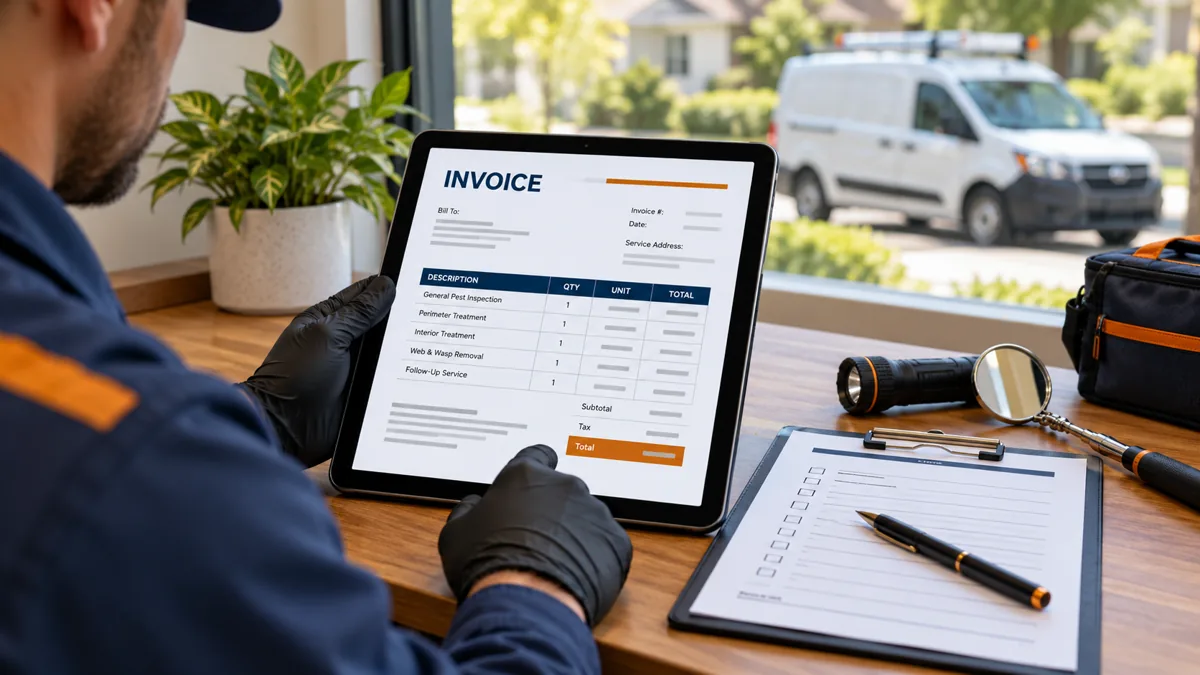
A pest control invoice template should make three things obvious: which authorized service was completed, what the customer owes, and how to pay. The free original files below give a small pest-control business a consistent starting point without requiring a software subscription. Keep the invoice connected to the job record, but do not confuse a request for payment with a treatment report.
Download: Editable Word invoice or printable PDF invoice. The DOCX is editable; the PDF is a print version, not an interactive form. Replace every bracketed field before sending it. These resources were prepared on October 29, 2026.
What belongs in a pest control invoice template?
Include your business identity and contact details, a unique invoice number, issue date, customer billing details, service property, actual service date, line-item descriptions, totals, payments already received, balance due, and a clear due date. Add a purchase-order reference when the customer requires one. A commercial property manager may need a site code and an approved billing contact even when the technician visits a different address.
Use separate fields for billing and service addresses. That small distinction prevents a report for one rental property from reaching the wrong account. Identify the related estimate or work order so the office can compare the approved scope with the final bill. Your service report should explain the visit; the invoice should explain the charge.
Do not place full payment-card numbers, account passwords, gate codes, or unnecessary personal information on the document. Use a verified secure payment destination and a business contact for disputes or corrections. If a customer changes their email address, verify the change through your established process before forwarding account documents.
Fill it out in seven steps
- Assign an invoice number. Use a sequence your accounting process can reconcile. Never reuse a number just because a customer canceled a visit.
- Confirm the customer and property. Check the authorized payer, service address, purchase order, and delivery email.
- Enter the actual service date. Distinguish the visit date from the invoice issue date and payment due date.
- Describe completed work. State the service and included scope in plain language. Avoid vague entries such as “pest job.”
- Calculate charges. Multiply quantities by rates, apply approved credits, and add only applicable tax.
- Apply received payments once. Identify deposits or prior payments and subtract them from the total without duplicating a credit.
- Check and deliver. Compare the bill with the approved estimate and visit report, then save the issued version.
Keep a blank master and create a fresh copy for each job. Editing the master with customer information makes it easier to accidentally send another customer’s details next time. In a shared office, assign responsibility for the final billing check rather than assuming the last person to open the file approved it.
Worked invoice example
The following amounts are fictional arithmetic examples, not recommended service prices or estimates of local market rates.
| Item | Quantity | Example rate | Amount |
|---|---|---|---|
| Authorized initial service, job PTR-EX-001 | 1 | $150 | $150 |
| Separately approved exclusion work | 1 | $80 | $80 |
| Subtotal before any applicable tax | $230 | ||
| Deposit already received | -$50 | ||
| Balance before any applicable tax | $180 |
If tax applies, determine the taxable items and rate under the relevant jurisdiction’s rules. Do not copy a tax rate from this example or assume that every pest-control service is treated the same way. A bookkeeper or qualified tax adviser can help establish the correct setup. The template deliberately leaves the tax field blank.
For a partial payment, issue a receipt or update the balance record while preserving the original invoice. Do not silently replace a $230 issued invoice with a $180 invoice because a $50 payment arrived. The original charge, received payment, and remaining amount should remain understandable to someone reviewing the account later.
Recurring service and callback billing
Recurring service needs a clear billing basis: per completed visit, a monthly installment, or another agreed arrangement. Four visits a year does not automatically mean four equal monthly charges. State the relevant period or visit and connect the invoice to the accepted agreement. Explain separately priced work before it is performed.
A callback may be included in an existing service policy or may require a new authorization. Check the actual agreement rather than adding a generic callback fee. Likewise, do not add late fees or automatically enroll a customer in recurring payments merely because the invoice template has a notes box. Use reviewed terms and valid payment authorization.
For a disputed line item, pause automated reminders while the office checks the underlying records. Record who reviewed the issue, the resolution, and any approved credit. Keeping a short correction trail is more useful than repeatedly changing the description until the customer stops asking questions.
Invoice, estimate, service report, or pesticide record?
| Document | Main purpose | Best time to prepare it |
|---|---|---|
| Estimate | Proposed scope and price | Before authorization |
| Service agreement | Continuing terms and responsibilities | Before covered work begins |
| Service report | Actual observations and work performed | At visit closeout |
| Invoice | Amount billed and payment instructions | According to the agreed billing schedule |
| Pesticide application record | Required application details | According to applicable recording rules |
An invoice with “materials included” is not a complete pesticide record. Requirements vary with jurisdiction and application type. Use the pesticide record keeping app guide to plan the separate documentation workflow, and verify requirements with the responsible regulator.
When a document template stops being enough
A Word file can work for a manageable volume of invoices with a disciplined register. Consider software when duplicate entry, recurring billing, payment reconciliation, multiple technicians, or missed follow-ups become difficult to control. Evaluate the workflow with a sample job before buying. A professional-looking invoice alone does not prove that accounting synchronization or reminders work correctly.
The invoicing software comparison explains seven options and their billing units. For example, Jobber’s official pricing places invoicing in Core while automated invoice follow-ups are listed under Connect. Do not assume every automation is included in an entry plan. Use our software cost calculator to organize your own assumptions.
Final billing check
Before sending, read the invoice as a customer would: Can you identify the property, completed work, approved extras, total, payment already applied, due date, and contact for questions? Open the attachment yourself and check that no bracketed placeholders remain. Confirm that any payment link reaches your intended processor without exposing credentials.
Keep the issued invoice, related approval, visit report, and payment history together under the same job reference. Set retention and access rules appropriate to your business obligations rather than treating an email inbox as the only archive. If the document changes after issue, make the correction traceable.
Common questions
Can I edit the free invoice?
Yes. Adapt the original DOCX to your business, branding, approved terms, and accounting process. Review the exported PDF before delivery; changing a table can affect page layout.
Does the template calculate totals automatically?
No. It is an editable document, not accounting software. Check all arithmetic independently and reconcile payments in your accounting records.
Is this a legally approved billing form?
No. It is a general business resource. Verify tax, disclosure, payment, and record-retention requirements that apply to your business.
By Pest Tech Research Editorial. Prepared and source-checked October 29, 2026. The displayed publication date follows the publisher’s requested archive schedule and does not represent earlier research or testing. Featured image: AI-generated editorial illustration, not a product screenshot or evidence of field testing. Questions or corrections: Contact Pest Tech Research.